1
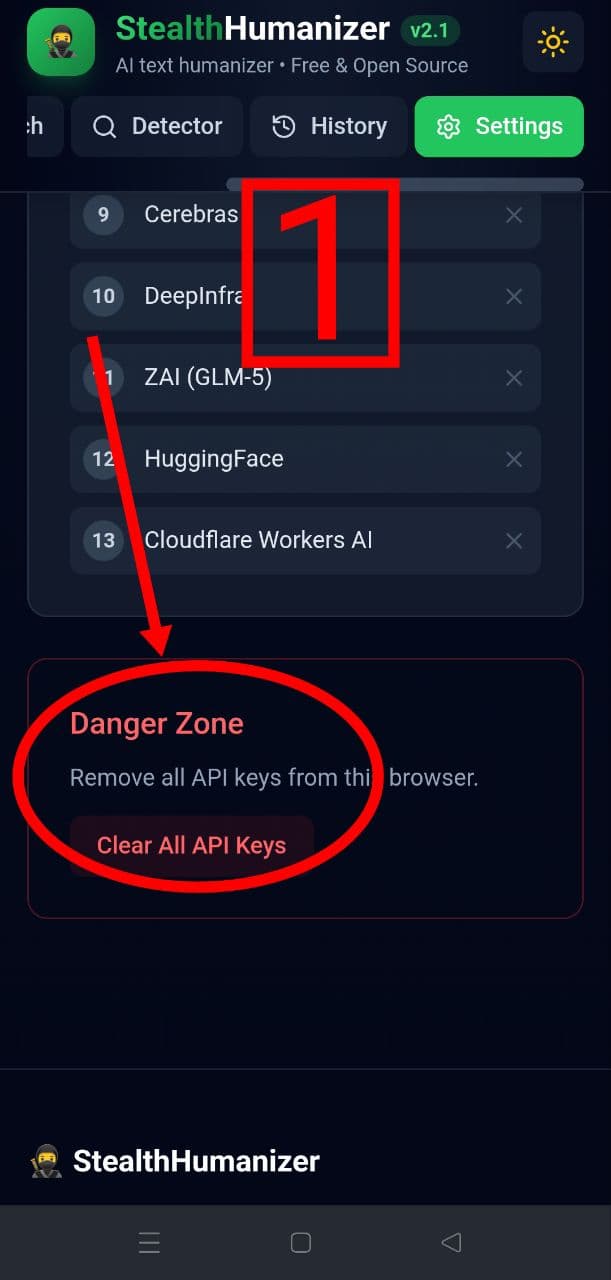
Open Settings and clear old keys
Go to Settings > Danger Zone > Clear All API Keys (optional reset).
Free. No login. 35 AI providers. Style-aware rewriting with multi-pass ninja mode.
35
AI Providers
4
Rewrite Levels
13
Tone Presets
16+
Languages
Three simple steps to natural writing
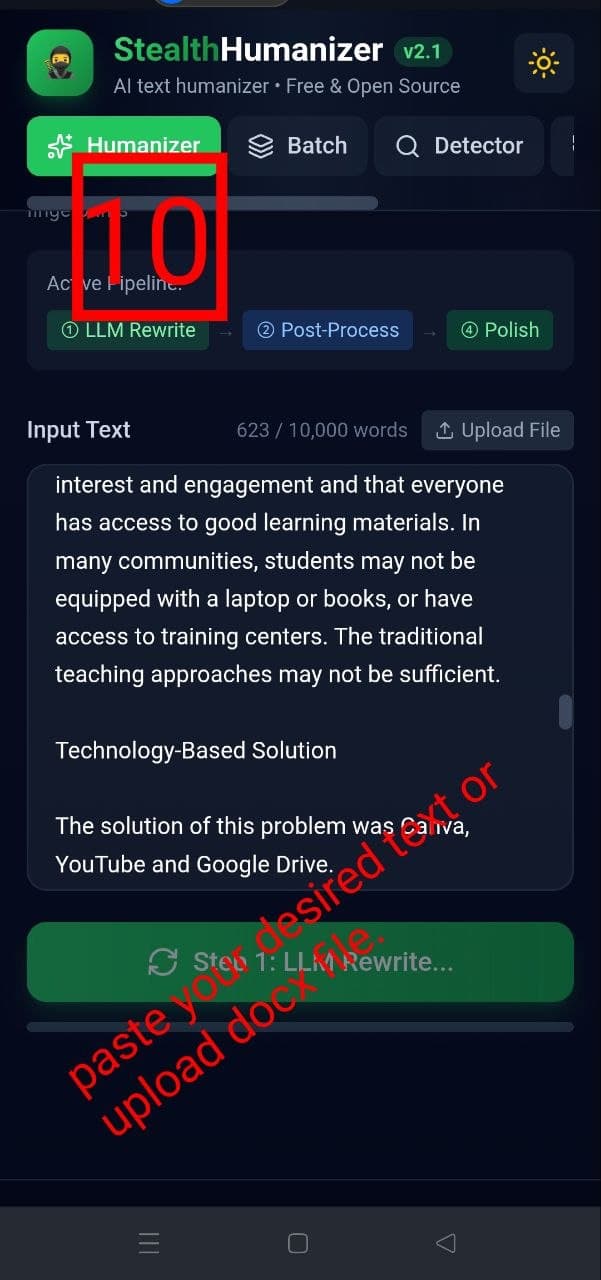
Paste your AI-generated text or upload a PDF/DOCX file directly.
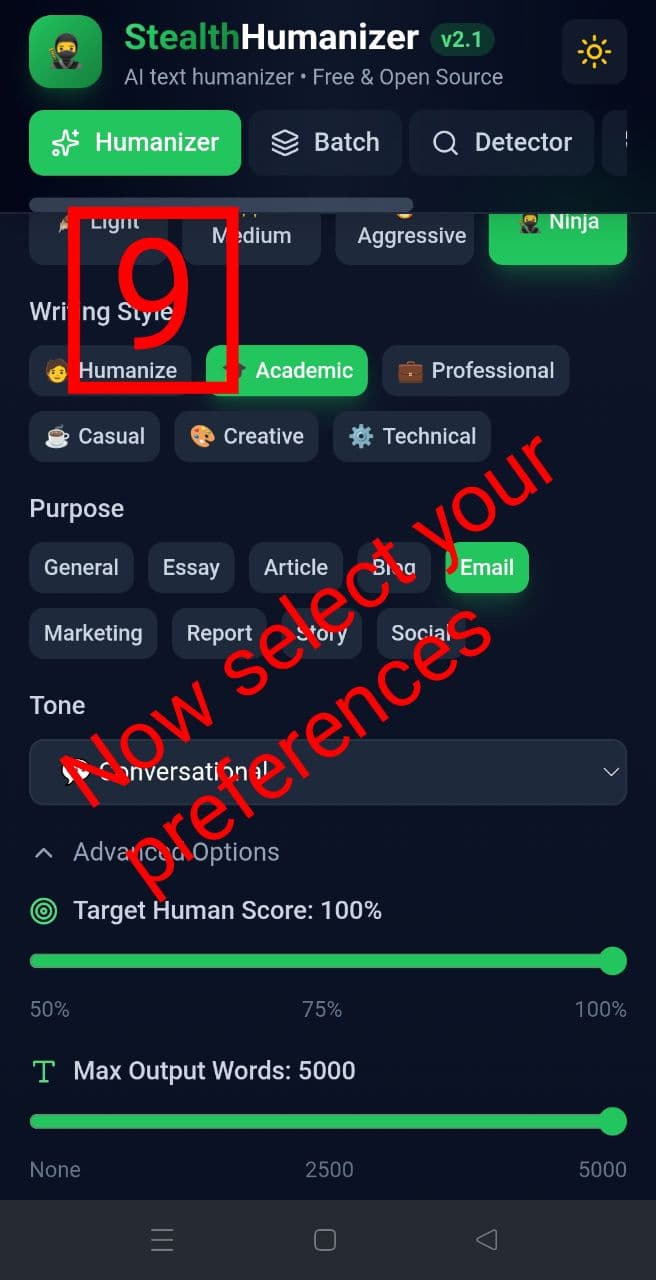
Pick your preferred writing style, tone, and humanization level.
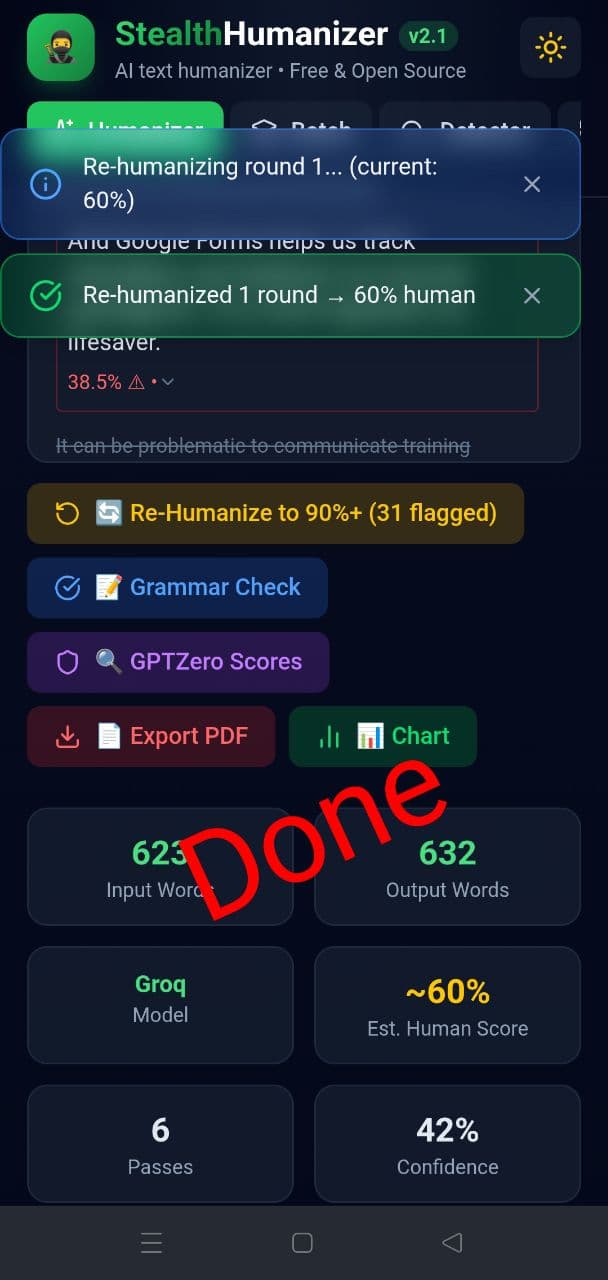
Receive naturally humanized text with detection scores in seconds.
Choose from 35 free and paid AI providers. Your keys stay in your browser — never sent to our servers.
Transform AI text into natural, human-like writing
Paste text or upload a file
.txt, .docx, .pdf supported
Choose style, and tone
🧑 Humanize is recommended
Get human-sounding text back
Re-humanize flagged sentences
Follow this walkthrough for Groq (Free) setup
Go to Settings > Danger Zone > Clear All API Keys (optional reset).
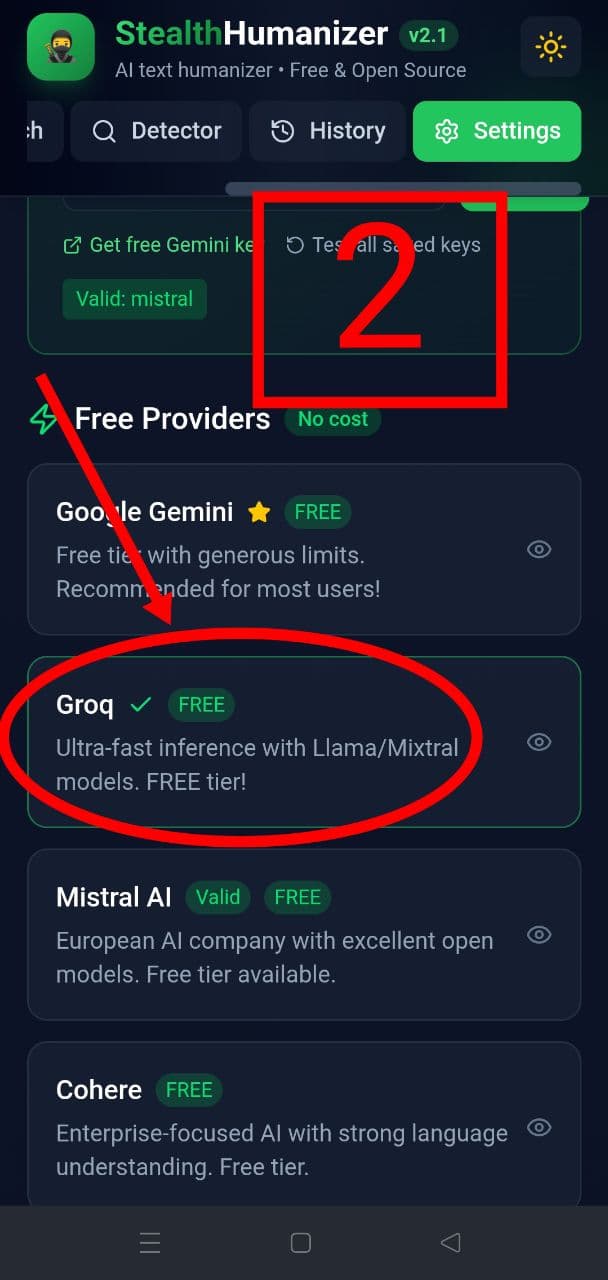
In Free Providers, select Groq (FREE).
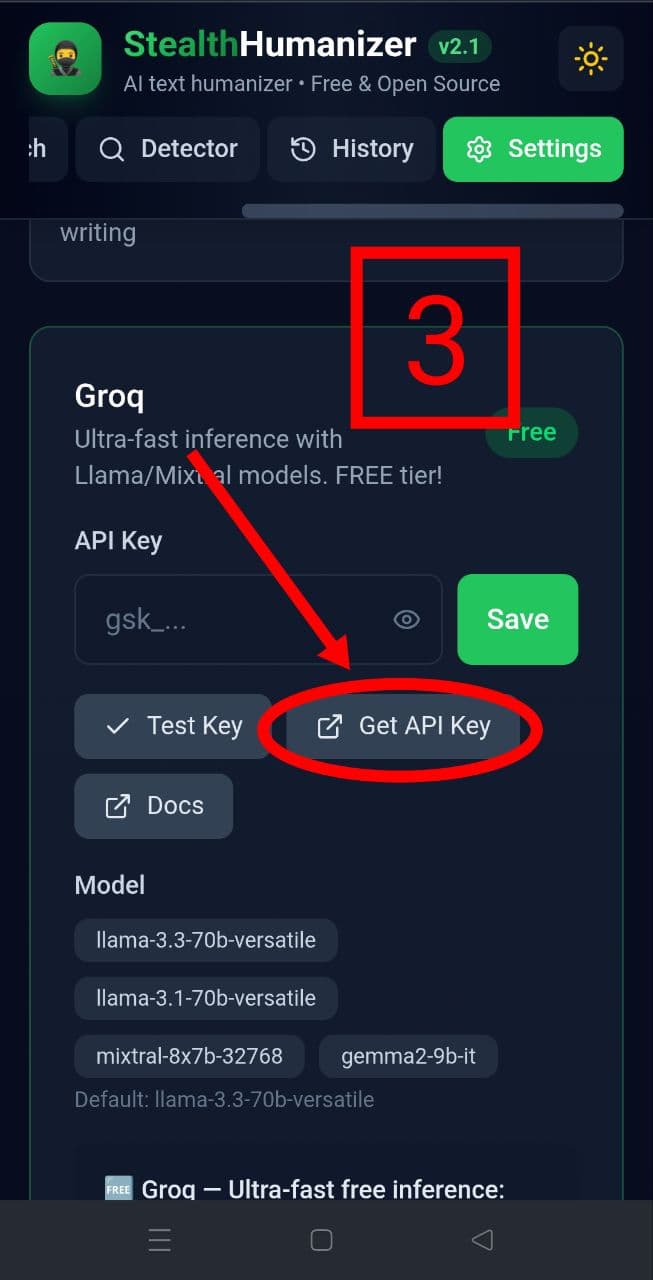
Open Groq provider settings and click Get API Key.
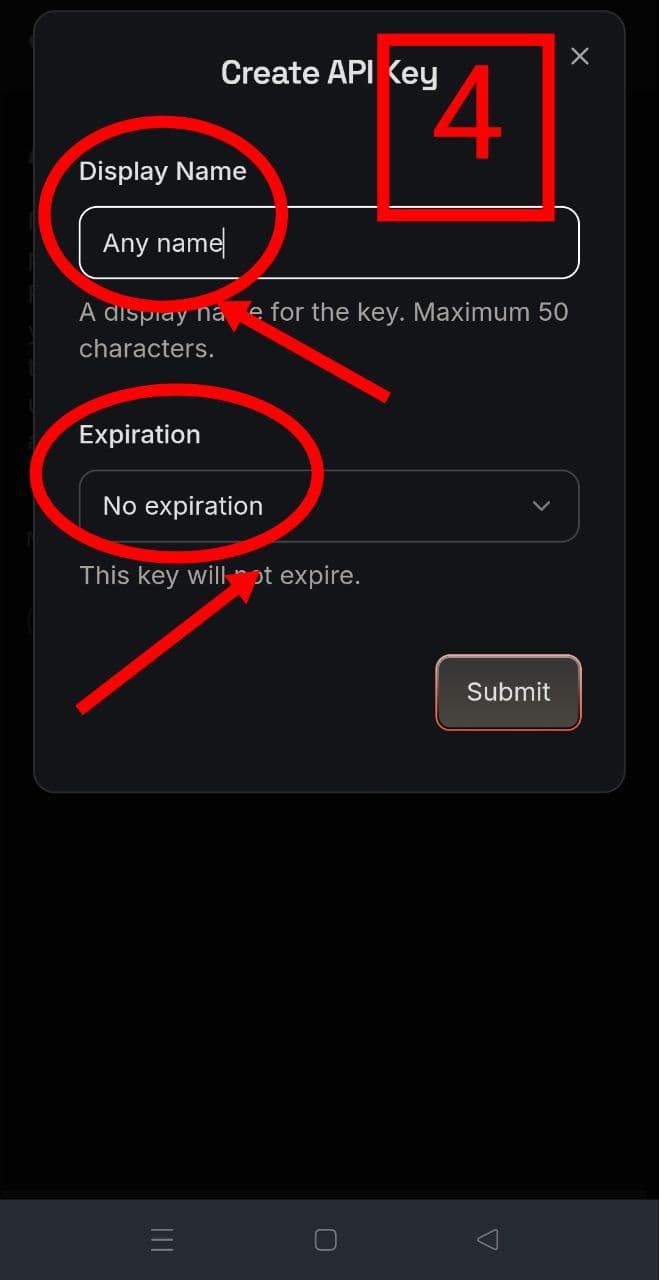
Set a key name and expiration preference, then create key.
Copy the generated Groq key immediately.
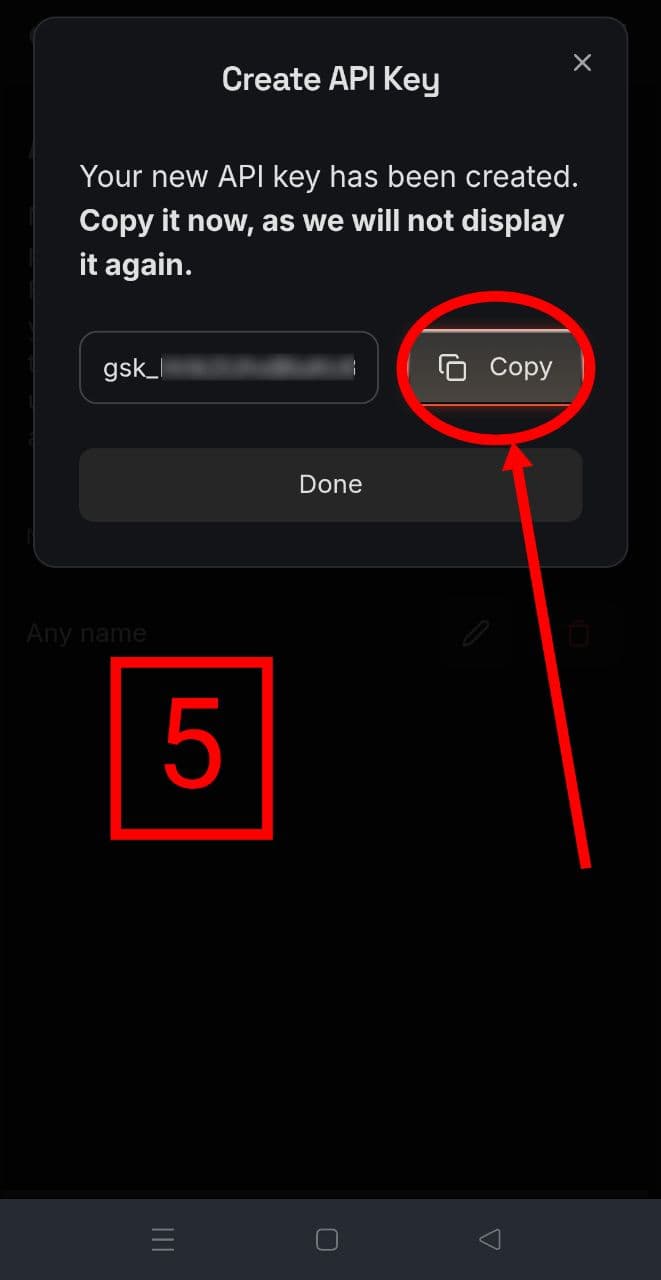
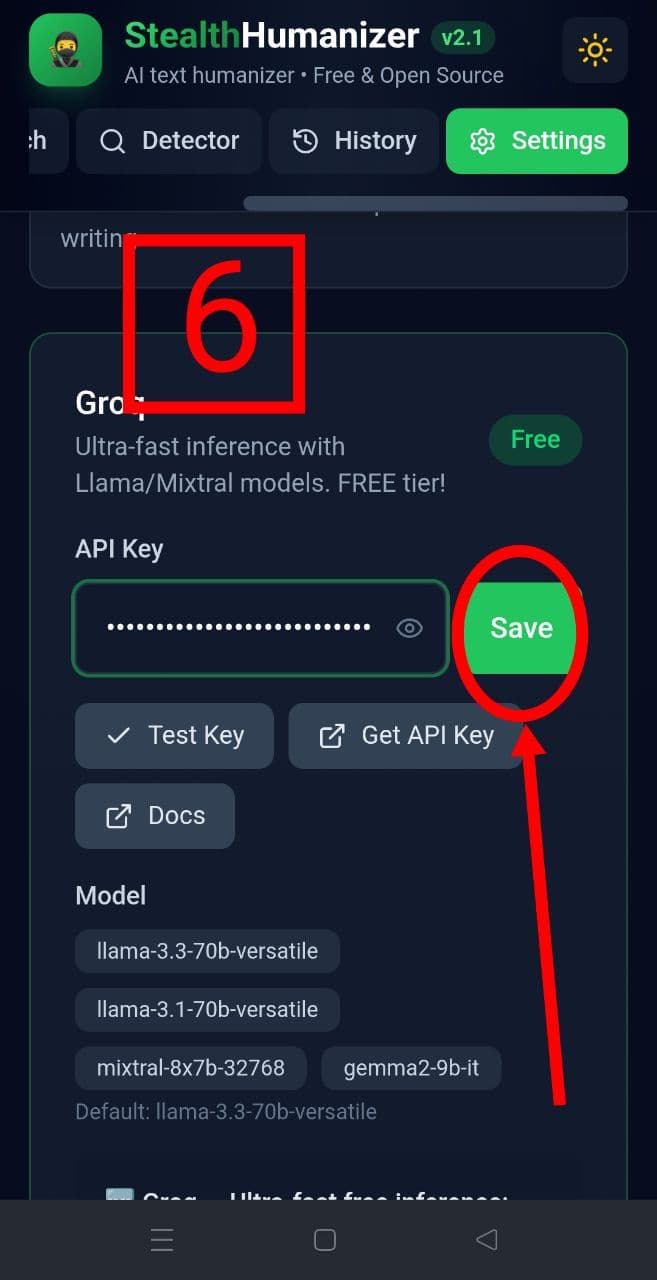
Paste key into the Groq API key field and press Save.
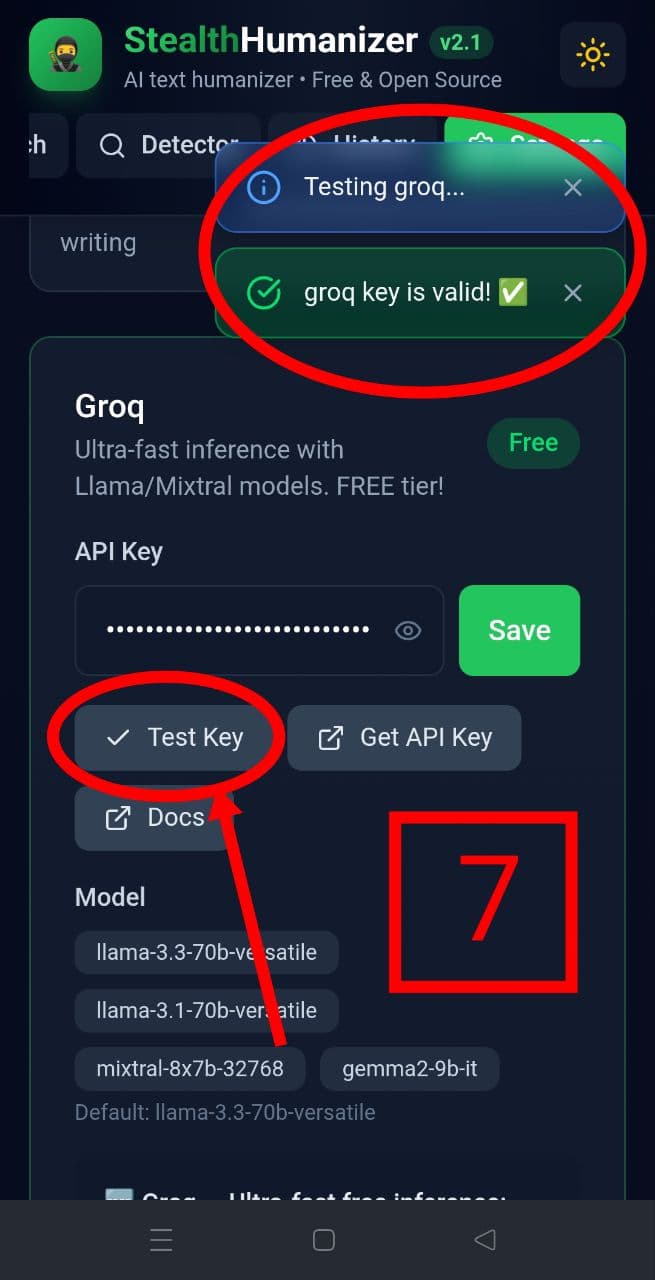
Click Test Key and confirm the key is valid.
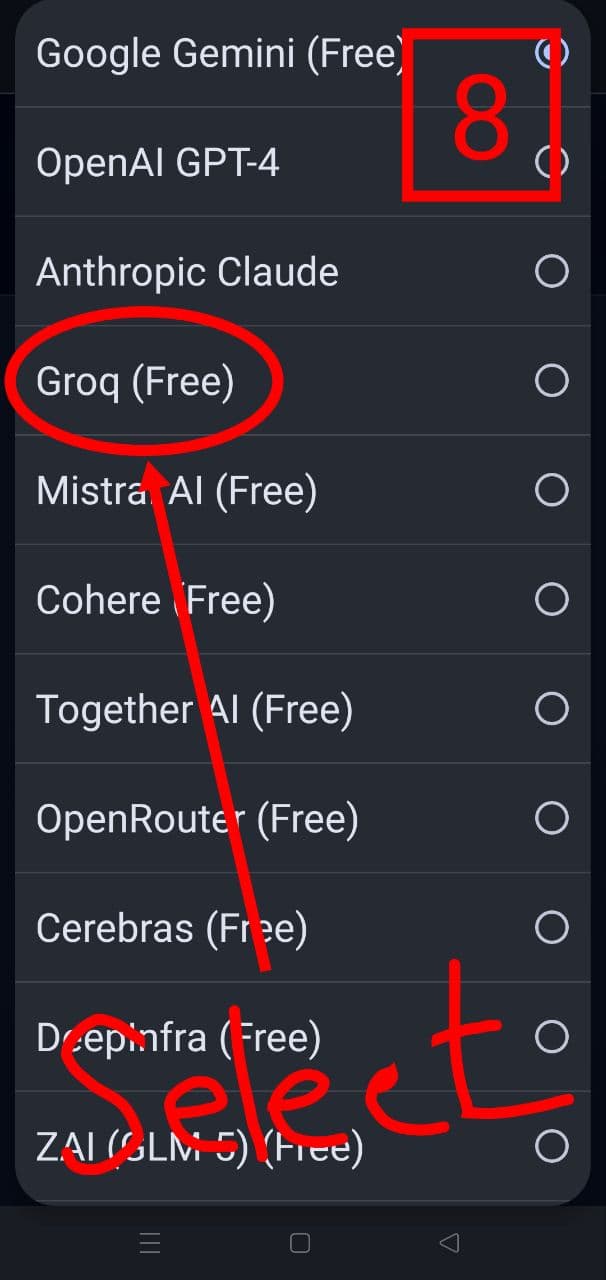
Return to provider selection and ensure Groq (FREE) is selected.
Configure rewrite level, style, tone, target score, and max words.
Paste/upload text and run rewrite > post-process > polish.
Review output, re-humanize if needed, then export.
Safety: Never share API keys in public messages or screenshots. Use Settings > Danger Zone > Clear All API Keys to remove saved keys.